> ## Documentation Index
> Fetch the complete documentation index at: https://docs.adoraplan.com/llms.txt
> Use this file to discover all available pages before exploring further.
# Event Signups
> Create registration forms for classes, retreats, and church events — manage RSVPs, waitlists, and payments.
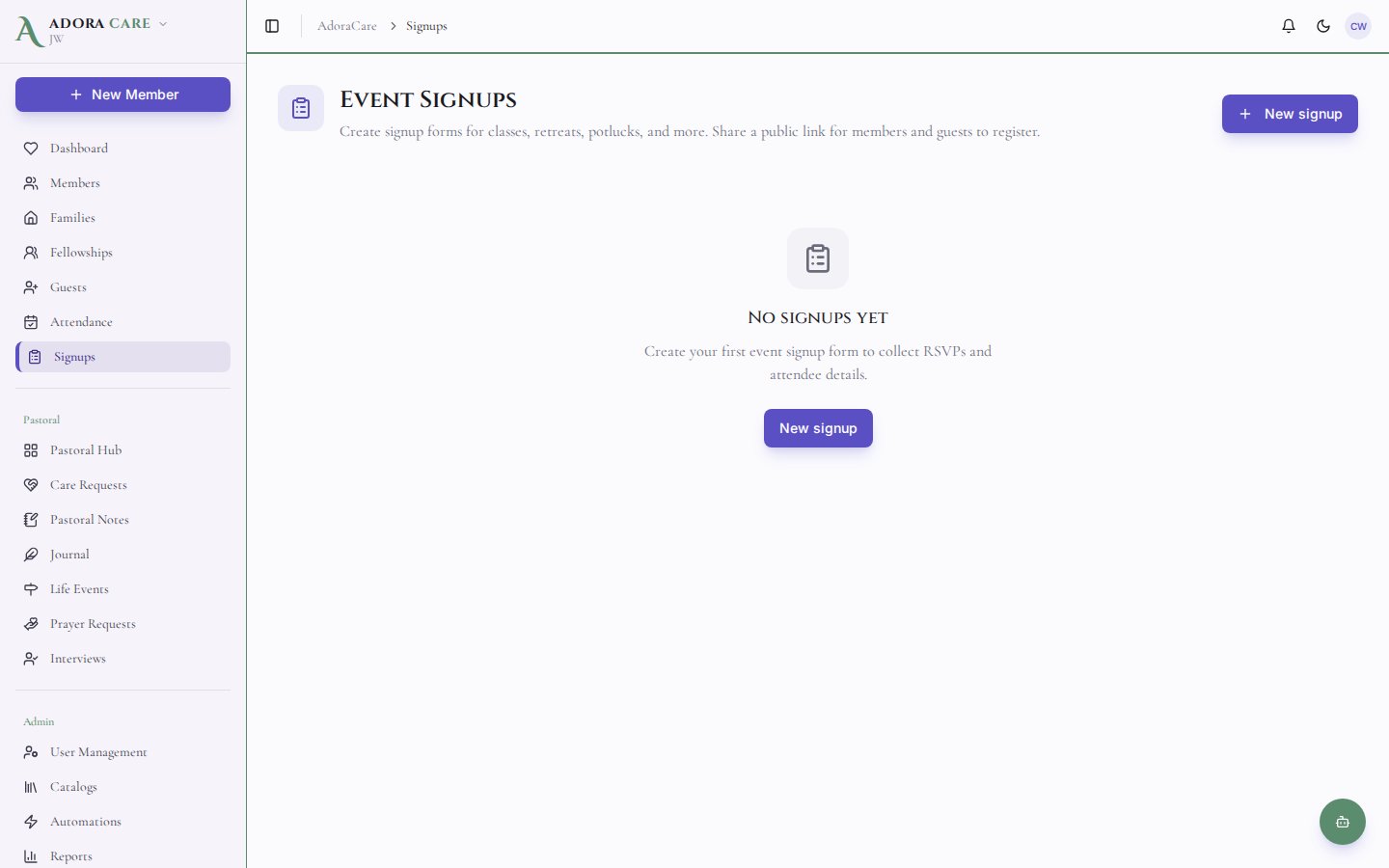
**Event Signups** lets staff build shareable registration forms for VBS, retreats, potlucks, parent orientations, and more. Publish a public link, collect attendee details, manage waitlists, and track manual payments — separate from the member portal’s one-tap **Events** RSVP.
 ## Quick Start
1. Set your church **Portal URL** (short name) under **Settings → Portal** — required for public links.
2. Open **AdoraCare → Event Signups**.
3. Click **New signup** and complete the **Basics**, **Schedule**, **Registration**, and **Payments** tabs.
4. **Publish** the event and copy the public link.
5. Review registrations on the event detail page; promote waitlisted guests or record payments.
***
## How-to Guide
### Event Signups vs. Portal Events
| Feature | **Event Signups** (this guide) | **Portal — Events** |
| --------------- | --------------------------------------------------- | ------------------------------------------ |
| **Who uses it** | Staff create forms; anyone with the link registers | Logged-in portal members |
| **Best for** | VBS, camps, retreats, paid events, custom questions | Simple “I’m attending Sunday service” RSVP |
| **URL** | `/{church-short-name}/signup/{event-slug}` | `/portal/events` (after portal login) |
| **Payments** | Manual ledger, deposits, discount codes | Not supported |
| **Waitlist** | Yes, with promotion | No |
Use **Portal — Events** for lightweight attendance tracking. Use **Event Signups** when you need capacity limits, per-attendee forms, or payment tracking.
### Create a signup event
## Quick Start
1. Set your church **Portal URL** (short name) under **Settings → Portal** — required for public links.
2. Open **AdoraCare → Event Signups**.
3. Click **New signup** and complete the **Basics**, **Schedule**, **Registration**, and **Payments** tabs.
4. **Publish** the event and copy the public link.
5. Review registrations on the event detail page; promote waitlisted guests or record payments.
***
## How-to Guide
### Event Signups vs. Portal Events
| Feature | **Event Signups** (this guide) | **Portal — Events** |
| --------------- | --------------------------------------------------- | ------------------------------------------ |
| **Who uses it** | Staff create forms; anyone with the link registers | Logged-in portal members |
| **Best for** | VBS, camps, retreats, paid events, custom questions | Simple “I’m attending Sunday service” RSVP |
| **URL** | `/{church-short-name}/signup/{event-slug}` | `/portal/events` (after portal login) |
| **Payments** | Manual ledger, deposits, discount codes | Not supported |
| **Waitlist** | Yes, with promotion | No |
Use **Portal — Events** for lightweight attendance tracking. Use **Event Signups** when you need capacity limits, per-attendee forms, or payment tracking.
### Create a signup event
 Go to **AdoraCare → Event Signups** in the sidebar.
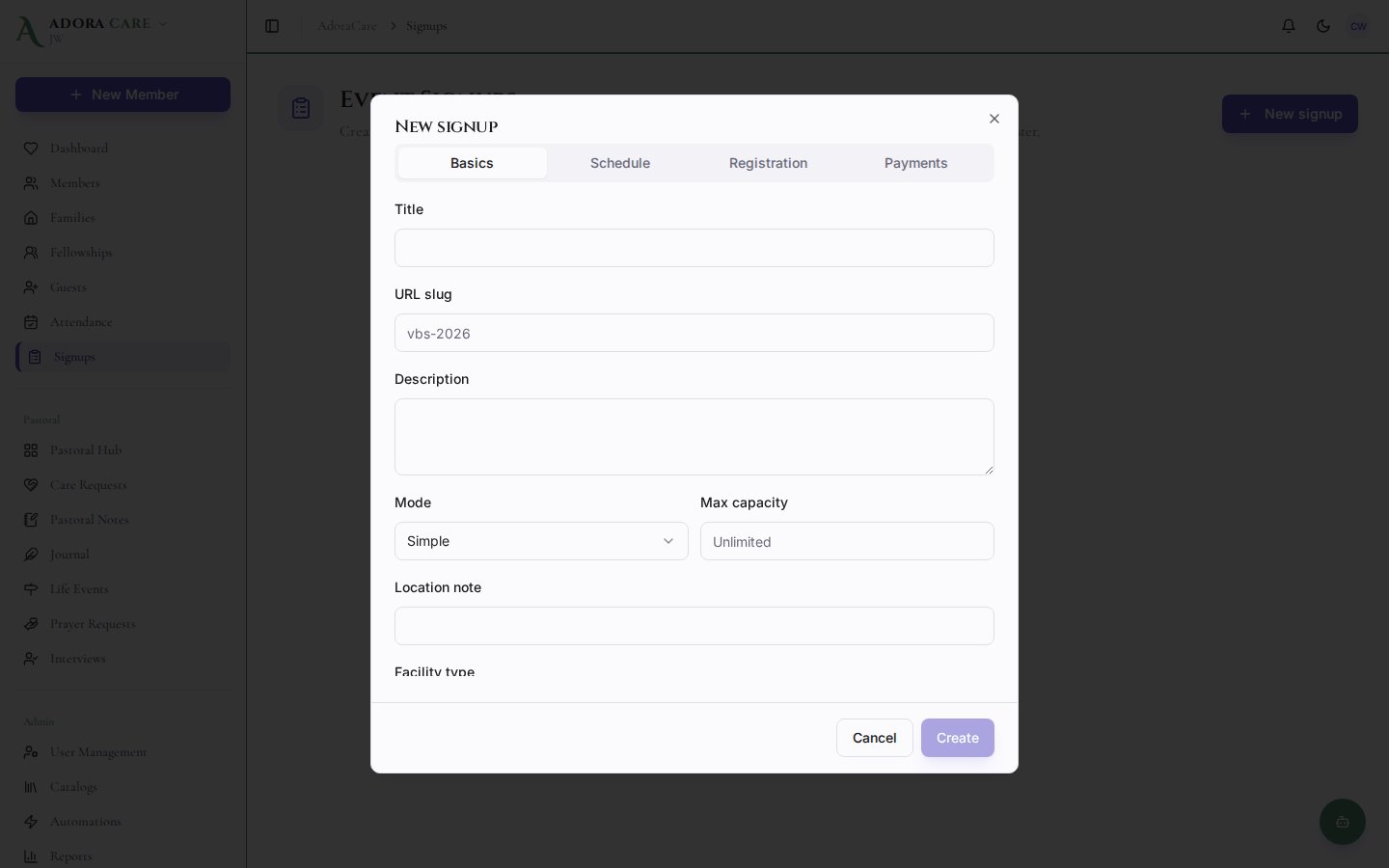
Click **New signup**. Choose **Simple** (headcount) or **Detailed** (per-attendee types, sessions, custom questions).
Set title, description, slug (used in the public URL), and optional location note.
Pick the event date. The mini calendar shows other signups so you avoid double-booking rooms mentally.
Configure capacity, waitlist, anonymous signups, email verification (OTP), and household registration (detailed mode).
Set currency, default amount, deposit rules, external payment link, scholarship requests, and discount codes (detailed events).
Save, then toggle **Published** when ready to share.
### Share the public link
Public URL pattern:
```
https://your-church.adoraplan.com/{church-short-name}/signup/{event-slug}
```
From the list or detail page, use **Copy link** or **Open public** — both require a saved **Portal URL** short name.
Visitors complete the form without logging in. If **Require email verification** is on, they confirm a one-time code before the registration is finalized.
### Manage registrations
Open an event from the list to manage:
| Tab | Purpose |
| ------------------- | -------------------------------------------------------------------------------------------------- |
| **Registrants** | Filter by confirmed, waitlisted, cancelled, or pending verification; promote waitlist; cancel rows |
| **Payments** | Record manual payments, export/import CSV, see balance due |
| **Selection types** | (Detailed) Pricing tiers and per-type questions |
| **Sessions** | (Detailed) Time blocks with per-session capacity |
| **Discount codes** | Promo codes that adjust totals |
**Duplicate** copies an event to a new season — adjust title, slug, and dates before publishing again.
### Simple vs. detailed mode
| Mode | When to use |
| ------------ | ------------------------------------------------------------------------------- |
| **Simple** | Potlucks, headcount RSVPs, events with one price for everyone |
| **Detailed** | VBS with age tracks, camps with session pickers, events needing per-child forms |
Detailed events support multiple **selection types** (e.g., “Child — \$50”, “Volunteer — free”), **sessions** (morning vs. afternoon), file uploads on custom questions, and household registration (register multiple family members in one submission).
### Payments and reminders
Event Signups uses a **manual payment ledger** in v1 — record cash, check, or external processor payments on the **Payments** tab. Registrants can see balance due on the confirmation screen when an external payment link is configured.
A daily cron sends **balance reminders** for registrations with outstanding balances (when enabled in your environment).
***
## Related
One-tap RSVP for portal members on attendance events.
Portal URL short name and feature toggles.
Follow up with first-time guests after events.
Volunteer scheduling (separate from event registration).
Go to **AdoraCare → Event Signups** in the sidebar.
Click **New signup**. Choose **Simple** (headcount) or **Detailed** (per-attendee types, sessions, custom questions).
Set title, description, slug (used in the public URL), and optional location note.
Pick the event date. The mini calendar shows other signups so you avoid double-booking rooms mentally.
Configure capacity, waitlist, anonymous signups, email verification (OTP), and household registration (detailed mode).
Set currency, default amount, deposit rules, external payment link, scholarship requests, and discount codes (detailed events).
Save, then toggle **Published** when ready to share.
### Share the public link
Public URL pattern:
```
https://your-church.adoraplan.com/{church-short-name}/signup/{event-slug}
```
From the list or detail page, use **Copy link** or **Open public** — both require a saved **Portal URL** short name.
Visitors complete the form without logging in. If **Require email verification** is on, they confirm a one-time code before the registration is finalized.
### Manage registrations
Open an event from the list to manage:
| Tab | Purpose |
| ------------------- | -------------------------------------------------------------------------------------------------- |
| **Registrants** | Filter by confirmed, waitlisted, cancelled, or pending verification; promote waitlist; cancel rows |
| **Payments** | Record manual payments, export/import CSV, see balance due |
| **Selection types** | (Detailed) Pricing tiers and per-type questions |
| **Sessions** | (Detailed) Time blocks with per-session capacity |
| **Discount codes** | Promo codes that adjust totals |
**Duplicate** copies an event to a new season — adjust title, slug, and dates before publishing again.
### Simple vs. detailed mode
| Mode | When to use |
| ------------ | ------------------------------------------------------------------------------- |
| **Simple** | Potlucks, headcount RSVPs, events with one price for everyone |
| **Detailed** | VBS with age tracks, camps with session pickers, events needing per-child forms |
Detailed events support multiple **selection types** (e.g., “Child — \$50”, “Volunteer — free”), **sessions** (morning vs. afternoon), file uploads on custom questions, and household registration (register multiple family members in one submission).
### Payments and reminders
Event Signups uses a **manual payment ledger** in v1 — record cash, check, or external processor payments on the **Payments** tab. Registrants can see balance due on the confirmation screen when an external payment link is configured.
A daily cron sends **balance reminders** for registrations with outstanding balances (when enabled in your environment).
***
## Related
One-tap RSVP for portal members on attendance events.
Portal URL short name and feature toggles.
Follow up with first-time guests after events.
Volunteer scheduling (separate from event registration).